How to Sign In to Your GEO Account
Updated 19 Nov 2026
Sign in to your GEO account with your email and password, reset a forgotten password, or create an account.
Sign in
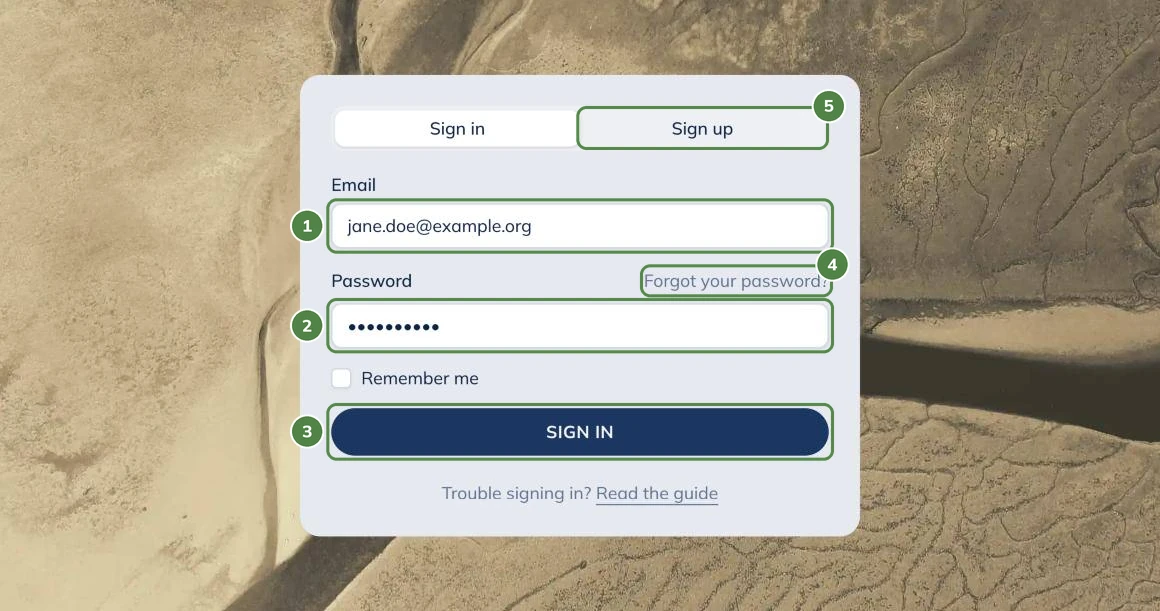
At the top right of any page, click Sign in (1).

- Enter your Email (1) and Password (2).
- Tick Remember me to stay signed in on this device.
- Click Sign in (3).
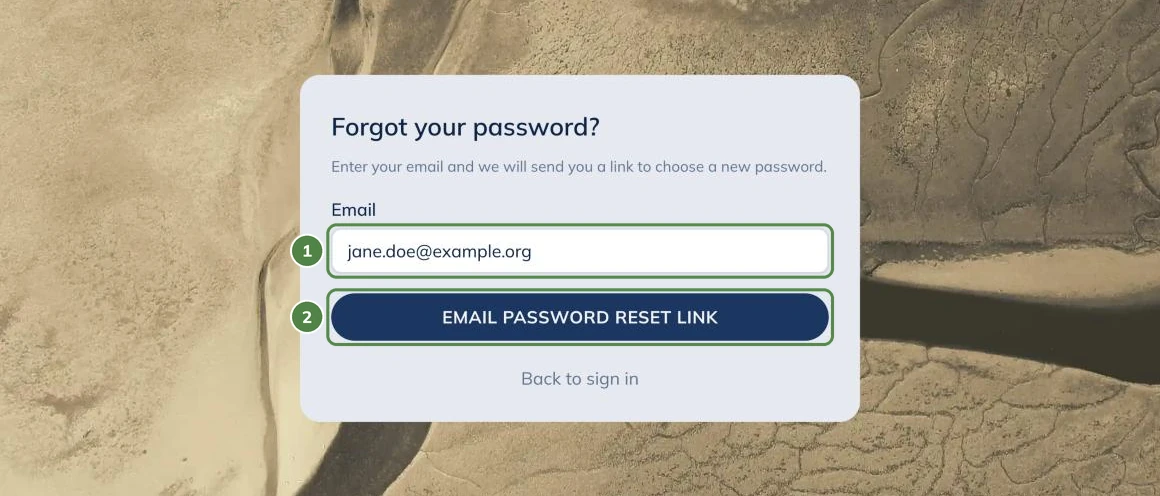
Forgot your password?
This also works if you have never set a password.
- On the sign-in form, click Forgot your password? (4).
- Enter your email (1) and click Email password reset link (2).
- Open the email we send you and click the link.
- Enter your new password twice and confirm. Then sign in with it.
Create an account
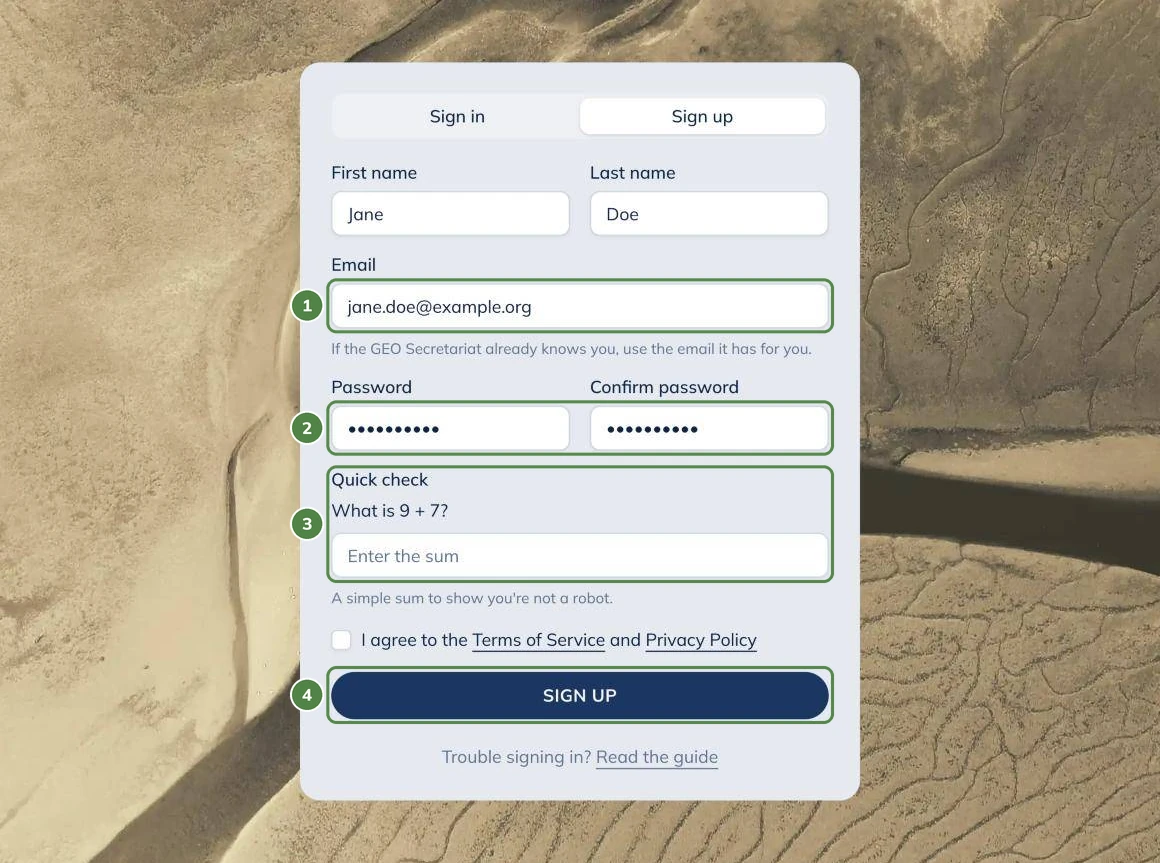
- On the sign-in form, click Sign up (5).
- Enter your first and last name, your email (1) and a password, twice (2). If the GEO Secretariat already knows you, use the email it has for you.
- Answer the Quick check (3): a simple sum that shows you're not a robot.
- Agree to the Terms of Service and Privacy Policy and click Sign up (4).
- Open the email we send you and confirm your address.
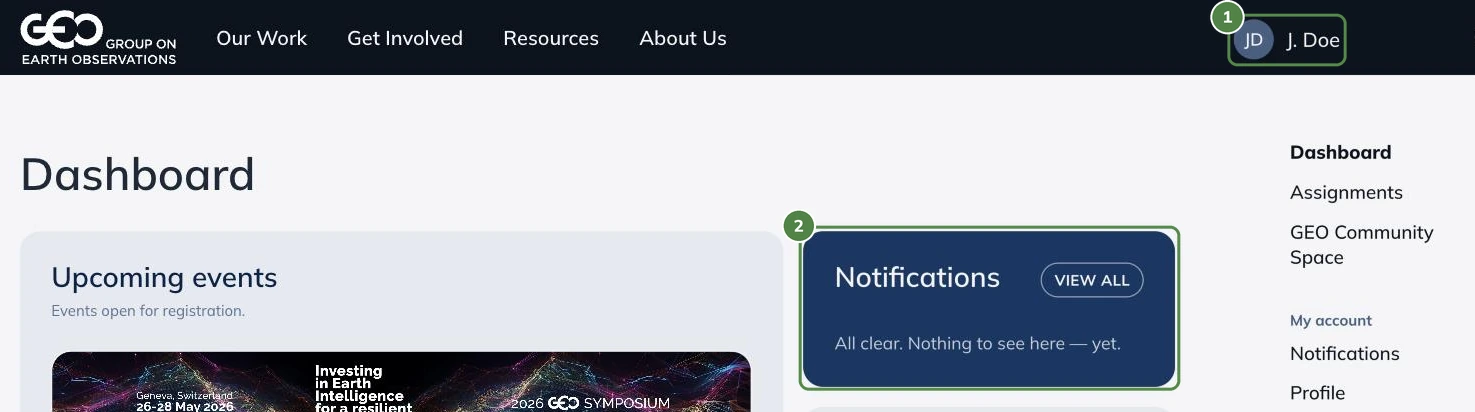
After you sign in
You land on your Dashboard. Your name at the top right (1) shows you are signed in, and your latest notifications are in the Notifications box (2). The menu on the right leads to Assignments, the GEO Community Space and your profile.